


Managing Visitors
The Visitor Manager helps you track everyone entering and leaving your sites — pre-register expected visitors, flag watchlist individuals, and maintain a complete visitor log.
Accessing the Visitor Manager
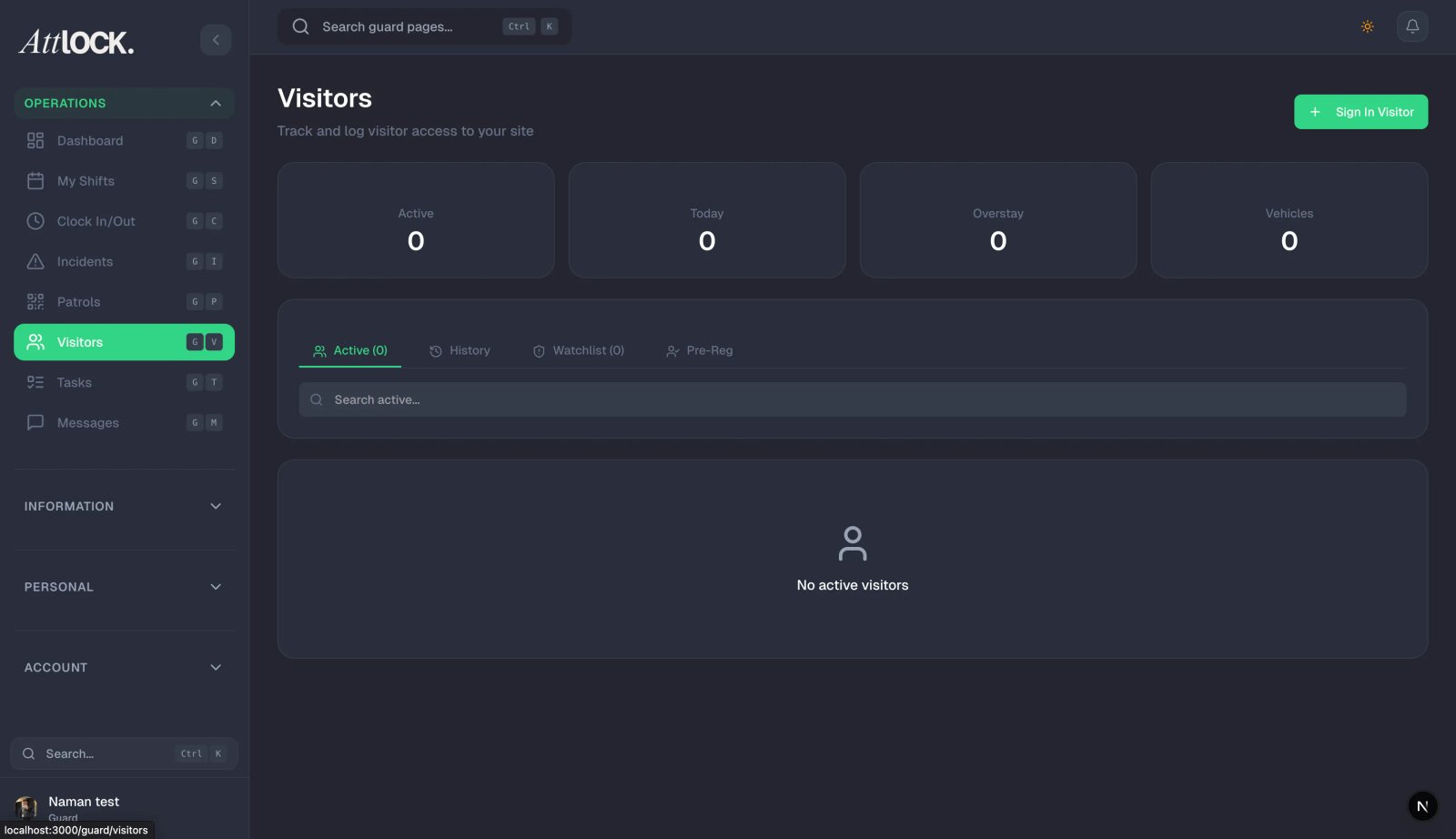
- Navigate to Facility & Fleet > Visitor Manager in the sidebar.
Key Features
Pre-Register Visitors
- Click Pre-Register Visitor.
- Enter visitor details:
- Full name.
- Company/organization.
- Purpose of visit.
- Expected date and time.
- Host (who they're visiting).
- Site.
- ID type and number.
- Click Register.
- The visitor is added to the expected visitors list. Guards will see them when checking people in.
Visitor Check-In / Check-Out
- When a visitor arrives, the guard logs them in via the mobile app or admin dashboard.
- Check-in records:
- Arrival time.
- Photo (if taken).
- ID verification.
- Badge issued.
- When leaving, the guard logs the check-out.
- All visits create a permanent audit trail.
Watchlist Management
- Click Watchlist to manage flagged individuals.
- Add to watchlist:
- Person's name and description.
- Reason for watchlist (banned, person of interest, VIP).
- Photo (if available).
- Active dates.
- When a watchlisted person checks in, guards receive an immediate alert.
Contractor Records
- Click Add Contractor.
- Enter contractor details:
- Company name.
- Contact person.
- Work description.
- Access dates.
- Required certifications.
- Contractors are tracked separately from regular visitors.
Visitor Analytics
- Click the Analytics option.
- View:
- Total visitors today/this week/this month.
- Peak visiting hours.
- Most visited sites.
- Average visit duration.
- Contractor vs. visitor ratio.
Tips & Best Practices
- Pre-register for efficiency — Expected visitors breeze through check-in.
- Require photo ID for all visitors at high-security sites.
- Review the watchlist regularly — Remove outdated entries.
- Export visitor logs for compliance and security audits.
Troubleshooting
Pre-registered visitor not showing
- Verify the expected date and site are correct.
- Check if the registration was saved successfully.
Watchlist alert not triggering
- Ensure the watchlist entry is in Active status.
- Verify the guard is checking in visitors at the correct site.
Related Articles
- Creating a New Site
- Managing Incidents
- Using the Command Center
- Viewing the Audit Log