


Using Emergency Contacts
Quick access to emergency numbers when you need them most. The Emergency Contacts screen puts critical phone numbers one tap away, so you can reach help immediately during urgent situations.
Accessing Emergency Contacts
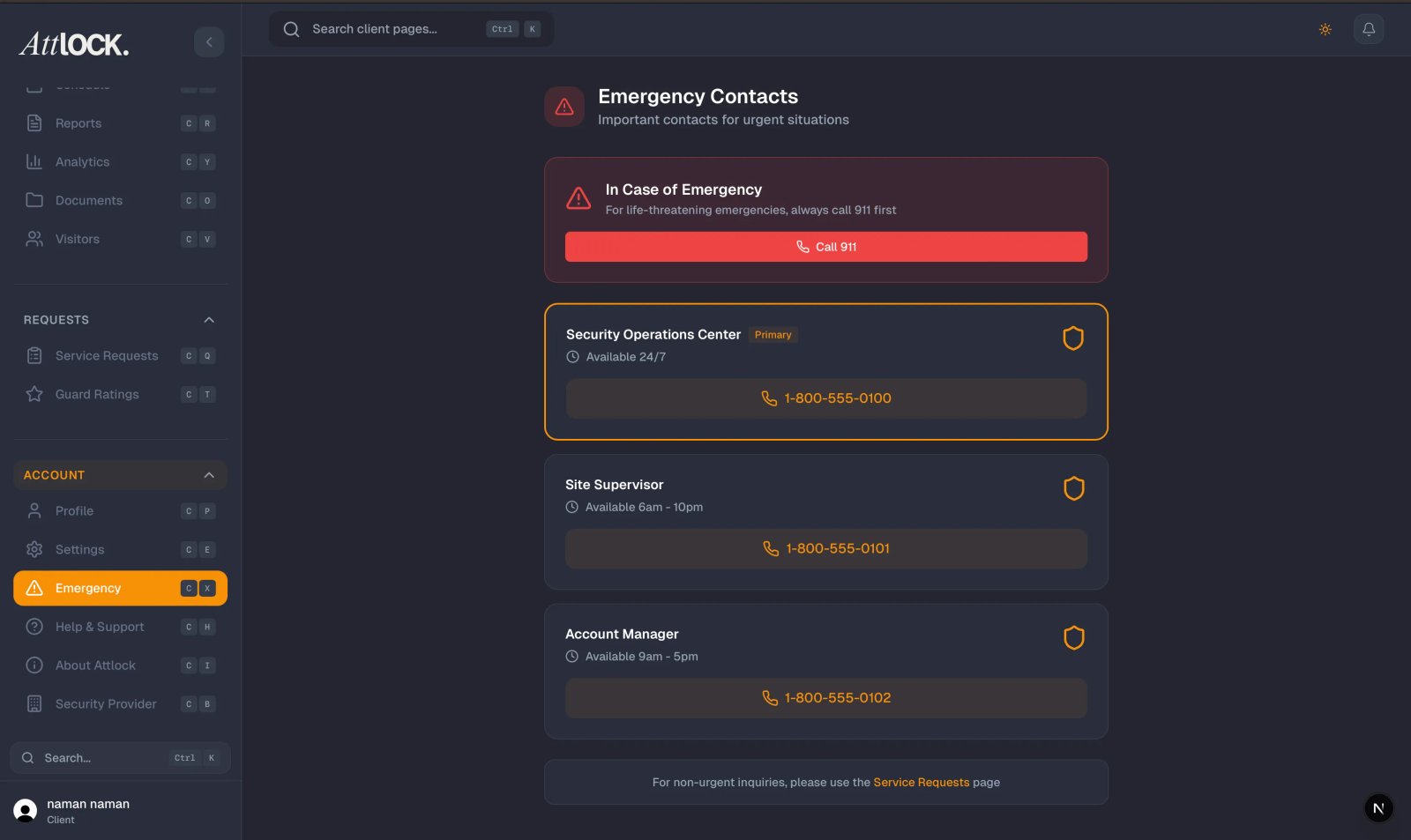
- From the Profile menu, tap "Emergency Contact".
- The screen displays "In Case of Emergency" with the subtitle "Important numbers for urgent situations."
Emergency Alert Banner
At the top of the screen, a prominent banner reads:
"For life-threatening emergencies, always call 911 first."
This is your most important reminder — in any situation involving immediate danger to life, call 911 before anything else.
Available Contacts
911 Emergency Services
- Pre-configured and always available at the top of the list.
- Tap to call directly — no dialing needed.
- Use for police, fire, and ambulance services.
Security Provider (24/7 Dispatch)
- Your security company's dispatch line, staffed around the clock.
- Tap to call directly or send an email.
- Use for suspicious activity, security breaches, or situations that require guard response.
Additional Emergency Contacts
- Your security provider may configure additional emergency contacts specific to your sites.
- Each contact shows a name, phone number, and email address with tap-to-call and tap-to-email action buttons.
- These may include site managers, building operations, or specialized emergency services.
When to Use Each Contact
| Situation | Who to Call | ----------- | ------------ | Life-threatening emergency (fire, medical, active threat) | 911 | Suspicious person or activity near your site | Security Dispatch | Security breach or unauthorized access | Security Dispatch | Guard not showing up for scheduled shift | Security Dispatch or Service Request | Non-urgent security question | Service Request or Email Support |
|---|
Safety Tips
- Always call 911 first for life-threatening emergencies — do not wait for security dispatch.
- Know your exact site address — emergency services will ask for it. You can find it on the Sites tab.
- Stay calm and follow instructions from emergency dispatchers.
- Move to a safe location before making calls if you are in immediate danger.
- Provide clear details — describe what you see, how many people are involved, and any weapons or hazards present.
- Do not hang up until the dispatcher tells you it is safe to do so.
Tips
- Save the dispatch number in your phone contacts as a backup in case you cannot access the app.
- Brief your on-site team on where to find emergency contacts in the app.
- Test the emergency contact screen during non-emergency times so you are familiar with it before you need it.
- Keep the app updated to ensure emergency contact information is always current.
Related Articles
- Getting Started with the Client Portal
- Contacting Your Security Provider
- Submitting Service Requests
- Viewing Alerts and Notifications
- Help & Support