


Understanding Your Guard Rating and Feedback
This article is for Security Guards.
Attlock includes a performance feedback system that gives you visibility into how your work is being evaluated. Your guard rating reflects your reliability, compliance, and overall performance — and understanding it helps you identify where you're excelling and where there's room to grow. This guide explains how the rating system works and how to use feedback constructively.
What Is Your Guard Rating?
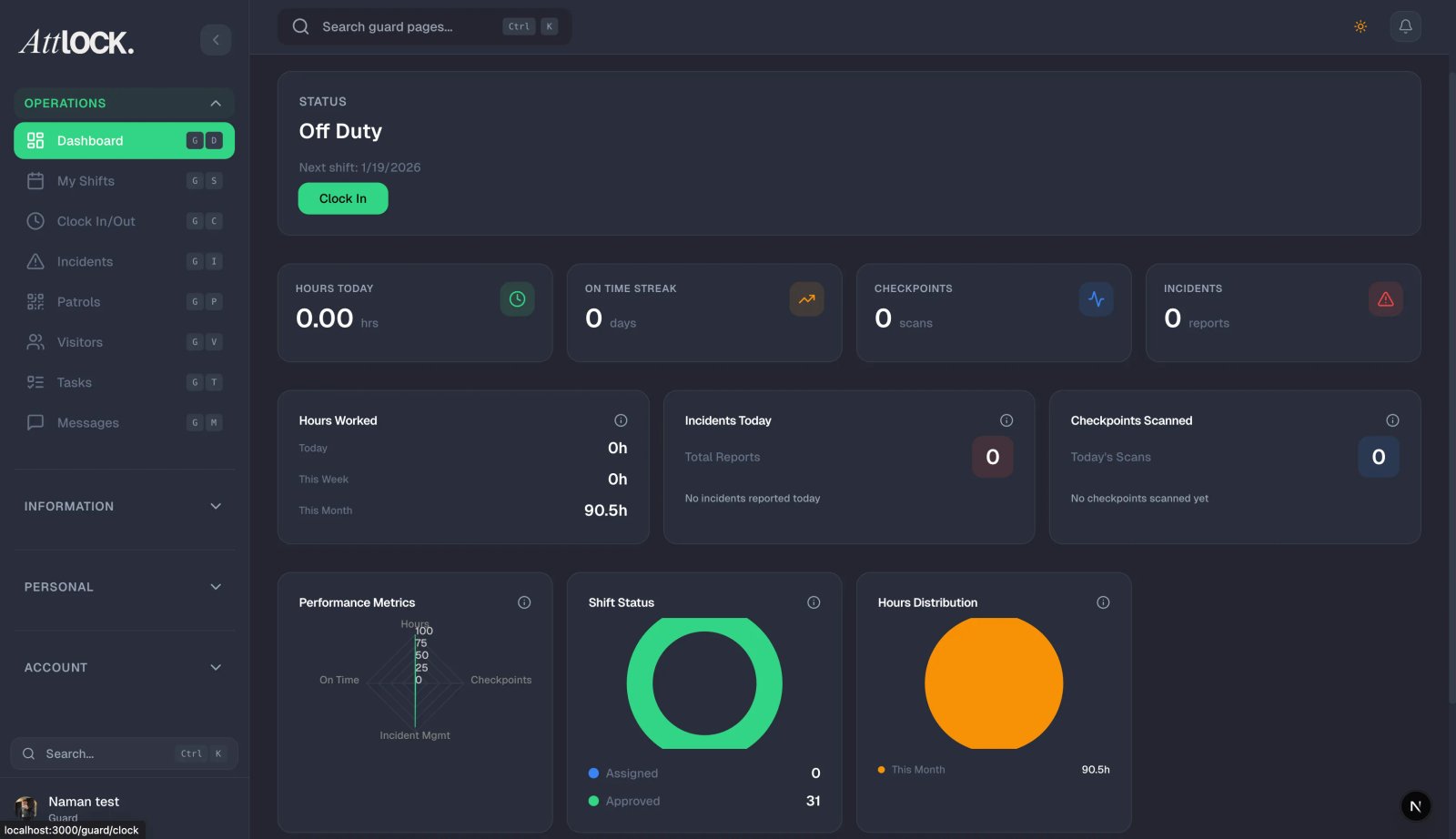
Your guard rating is a composite score calculated from several performance indicators tracked automatically by Attlock, combined with any direct feedback submitted by your supervisors. It gives both you and your management team a quick, objective view of your performance over time.
The rating is not a judgment of your worth as a person — it's a professional tool designed to help you grow and help your employer make fair, data-driven decisions about scheduling, assignments, and recognition.
Where to Find Your Rating
- Tap the Profile tab at the bottom of the screen.
- Tap Performance or Rating (the label may vary by app version).
- Your current rating and a breakdown of contributing factors will appear.
You can also see a summary on the Home screen's stats section, and more detailed metrics in More > Stats.
What Factors Affect Your Rating?
Your rating is built from several measurable behaviors:
Attendance and Punctuality
- On-time clock-ins — clocking in within the grace period of your scheduled start time.
- Shift completion — completing your full shift without early clock-outs.
- No-shows — missed shifts without prior notice have a significant negative impact.
Patrol Compliance
- Checkpoint scan rate — the percentage of required checkpoints you scan during each patrol.
- Patrol completion — whether you complete full patrol tours as assigned.
- Patrol timing — whether patrols are completed within the expected time windows.
Reporting Activity
- Incident report quality — whether reports are complete, detailed, and submitted promptly.
- Pass-down log participation — whether you write handover notes at the end of your shifts.
- Task completion — whether assigned shift tasks and checklists are completed.
Supervisor Feedback
Supervisors can submit direct feedback ratings on specific shifts or over a period. This may include:
- Professionalism — conduct, appearance, and communication.
- Responsiveness — how quickly and effectively you respond to instructions.
- Initiative — proactive actions taken beyond the minimum requirements.
Reading Your Feedback
To view detailed feedback from your supervisors:
- Go to Profile > Performance.
- Tap the Feedback tab.
- You'll see a list of feedback entries, each showing:
- The date and shift it relates to.
- The supervisor who submitted it.
- A rating (e.g., 1–5 stars or a category score).
- Written comments (if provided).
- Tap any entry to read the full feedback.
Responding to Feedback
If you receive feedback you'd like to discuss:
- Don't ignore it — even positive feedback is worth acknowledging.
- For constructive criticism, reflect on it honestly before responding. Ask yourself whether the observation is fair.
- If you disagree, raise it professionally with your supervisor through a direct message or in person. Provide context if there were circumstances they may not have been aware of.
- Never argue in writing — a calm, professional conversation is always more productive than a written dispute.
Improving Your Rating
The most effective ways to improve your rating are also the fundamentals of being a great guard:
- Clock in on time, every time — punctuality is one of the highest-weighted factors.
- Complete every checkpoint on every patrol — don't skip scans even when the site seems quiet.
- Write thorough reports — detail, accuracy, and timeliness all matter.
- Write pass-down notes — even a brief entry at the end of every shift.
- Complete all assigned tasks — don't leave checklists partially done.
- Ask for feedback proactively — guards who seek feedback tend to improve faster.
Rating Trends Over Time
The Performance screen shows your rating trend over time — weekly, monthly, or over a custom period. Use this to:
- Identify periods where your performance dipped and understand why.
- Celebrate consistent improvement.
- Spot patterns (e.g., lower scores on night shifts may indicate fatigue).
Tips
- Check your rating monthly — don't wait for a performance review to find out how you're doing.
- Focus on consistency — a steady, reliable performance scores better than occasional excellence with gaps.
- Use the data — your checkpoint compliance rate tells you exactly where you're falling short.
- A low rating is recoverable — consistent improvement over 4–6 weeks will move the needle significantly.
Related Articles
- Guard Performance and Statistics
- Completing a Patrol Tour
- Scanning Checkpoints (NFC and QR)
- Completing Shift Tasks and Checklists
- Communicating with Your Supervisor