


Requesting Temporary Additional Security
This article is for Clients.
Sometimes your standard security coverage isn't enough — a special event, a high-risk period, or an unexpected situation may require extra guards on short notice. Attlock makes it straightforward to request temporary additional security directly through the client portal, without needing to negotiate a contract amendment.
When to Use This Feature
Temporary additional security requests are designed for situations like:
- Events — a product launch, open day, staff party, or public-facing event at your site
- High-value deliveries — receiving expensive equipment, cash, or sensitive materials
- Elevated threat periods — following a nearby incident, a credible threat, or a period of heightened risk
- Construction or maintenance windows — when your site is more vulnerable due to open access points or reduced normal operations
- Short-term staffing gaps — if your regular provider has a temporary shortage and you need cover quickly
This is different from a permanent contract change. Temporary requests cover a defined period — from a few hours to a few weeks.
How to Submit a Temporary Security Request
- Log in to the Attlock client portal.
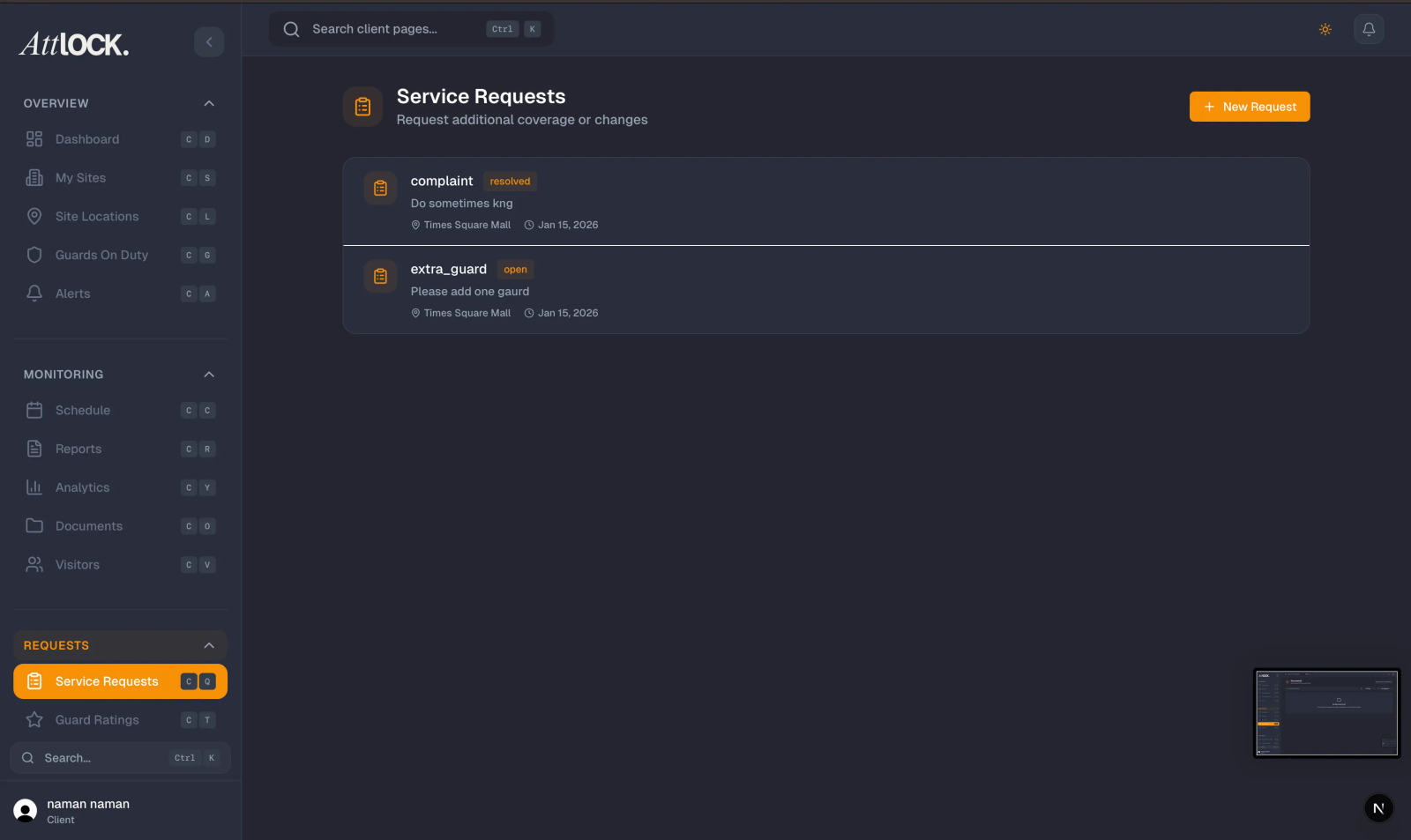
- Go to Service Requests in the left navigation menu.
- Click New Request and select Temporary Additional Security as the request type.
Fill in the Request Details
- Site — select the site that needs additional coverage
- Start date and time — when the additional coverage should begin
- End date and time — when it should end (or select Open-ended if you're unsure)
- Number of additional guards — how many extra guards you need
- Shift type — day, night, or 24-hour coverage
- Reason — a brief description of why additional security is needed
- Special requirements — any specific skills, certifications, or equipment needed (e.g., first aid trained, vehicle patrol, CCTV monitoring)
Priority Level
Select a priority level for your request:
- Standard — your provider will respond within their normal SLA (typically 24–48 hours)
- Urgent — flags the request for faster response; use for situations requiring coverage within 24 hours
- Emergency — for immediate threats requiring same-day response; your provider will be notified immediately
What Happens After You Submit
Your security provider receives the request and will confirm availability and pricing. You'll receive a notification when they respond. Once you approve the quote, the additional guards are added to your schedule in Attlock and you can track them just like your regular coverage.
Tracking Your Request
All temporary security requests are listed under Service Requests with a status indicator:
- Pending — awaiting your provider's response
- Quoted — your provider has responded with availability and pricing; awaiting your approval
- Approved — you've accepted the quote; coverage is confirmed
- Active — the additional guards are currently on duty
- Completed — the temporary coverage period has ended
Cancelling a Request
If your needs change, you can cancel a pending or quoted request at no cost. Once a request is approved, cancellation terms depend on your contract — check with your security provider for their cancellation policy.