


Equipment Management
Track every piece of security equipment your company owns — from radios and phones to uniforms and body cameras. Assign items to guards, track condition, and log maintenance.
Accessing Equipment
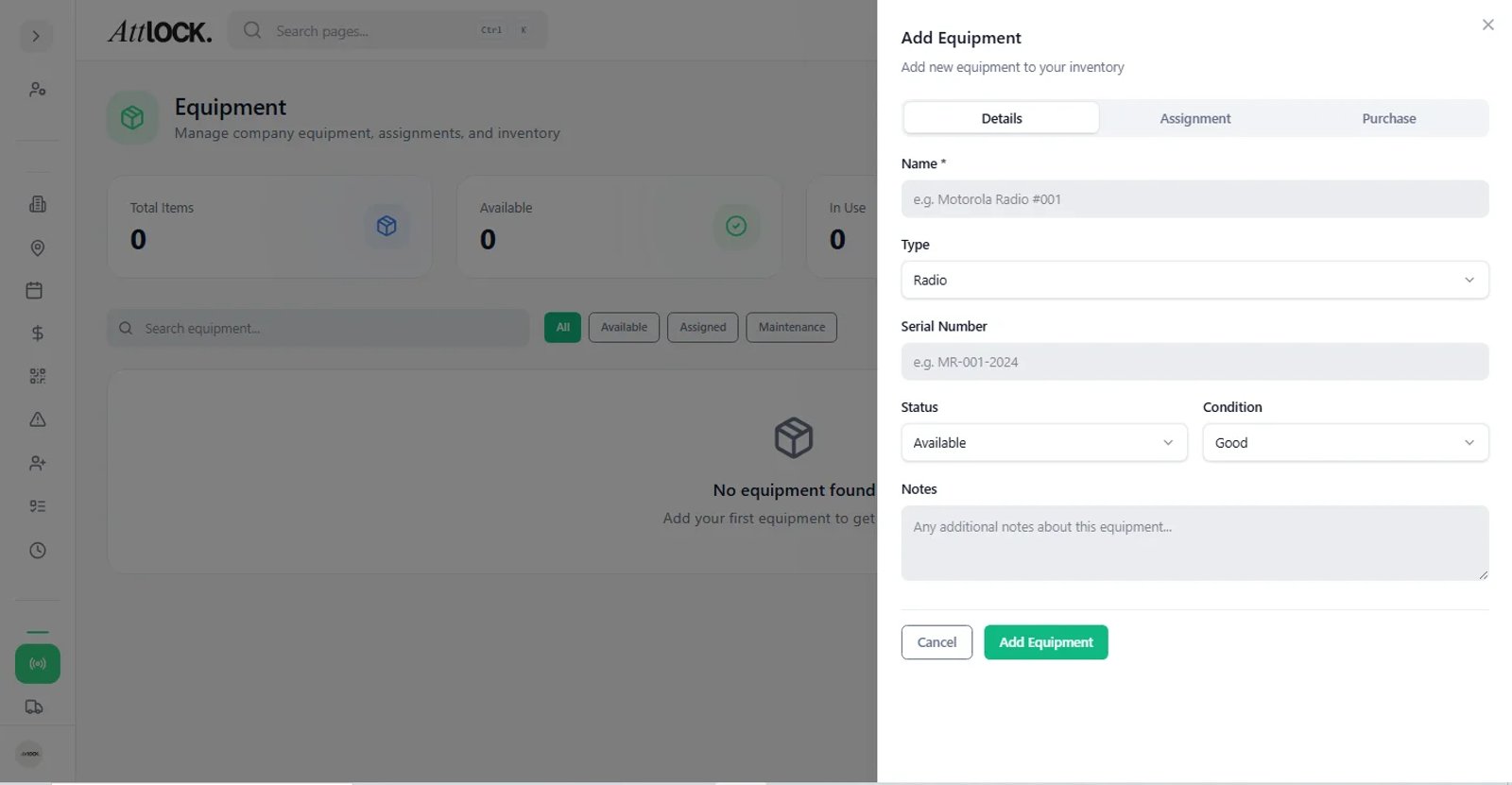
Navigate to Assets → Equipment in the sidebar.
Equipment Inventory
The main view shows all equipment in a searchable table:
- Search by name, serial number, or type.
- Filter by status, condition, or type.
Adding Equipment
- Click Add Equipment.
- Fill in:
- Name (e.g., "Motorola Radio T400")
- Type: Radio, Uniform, Phone, Vehicle, Body Camera, Flashlight, Keys, Other
- Serial Number
- Condition: New, Good, Fair, Poor, Retired
- Status: Available, Assigned, Maintenance, Decommissioned
- Location (which site or storage room)
- Photo (optional)
- Save.
Equipment Statuses
| Status | Meaning | -------- | --------- | Available | Ready to be assigned | Assigned | Currently with a guard | Maintenance | Being repaired or serviced | Decommissioned | Retired from service |
|---|
Condition Tracking
| Condition | Description | ----------- | ------------- | New | Brand new, unused | Good | Working well, minimal wear | Fair | Functional but showing wear | Poor | Needs repair or replacement soon | Retired | No longer usable |
|---|
Assigning Equipment to Guards
- Click an equipment item to open its details.
- Click Assign to Guard.
- Select the guard.
- Set the assignment date.
- The guard can see assigned equipment in their mobile app.
Logging Maintenance
- Open an equipment item.
- Click Log Maintenance.
- Enter:
- Date
- Description of service performed.
- Cost (optional).
- Damage Severity (if applicable): Minor, Moderate, Severe, Destroyed.
- Save.
View the full maintenance history on each item's detail page.
QR Code Tracking
Each equipment item gets a unique QR code:
- Print and attach to the physical item.
- Guards can scan to check in/out equipment from the mobile app.
Tips
- Audit equipment quarterly — update conditions and catch missing items.
- Use serial numbers for high-value items to prevent loss.
- Track maintenance costs to plan replacement budgets.
- Decommission items that are beyond repair instead of leaving them as "Poor" condition.
Related Articles
- Managing Guards
- Vehicle & Fleet Management
- Managing Sites