


Client App vs Web Portal: What's Different?
Attlock gives you two ways to manage and monitor your security services — the mobile app and the web portal. Both platforms connect to the same account and display the same data, but each is designed for different situations. This guide explains what is available on each platform and when to use one over the other.
Features Available on Both Platforms
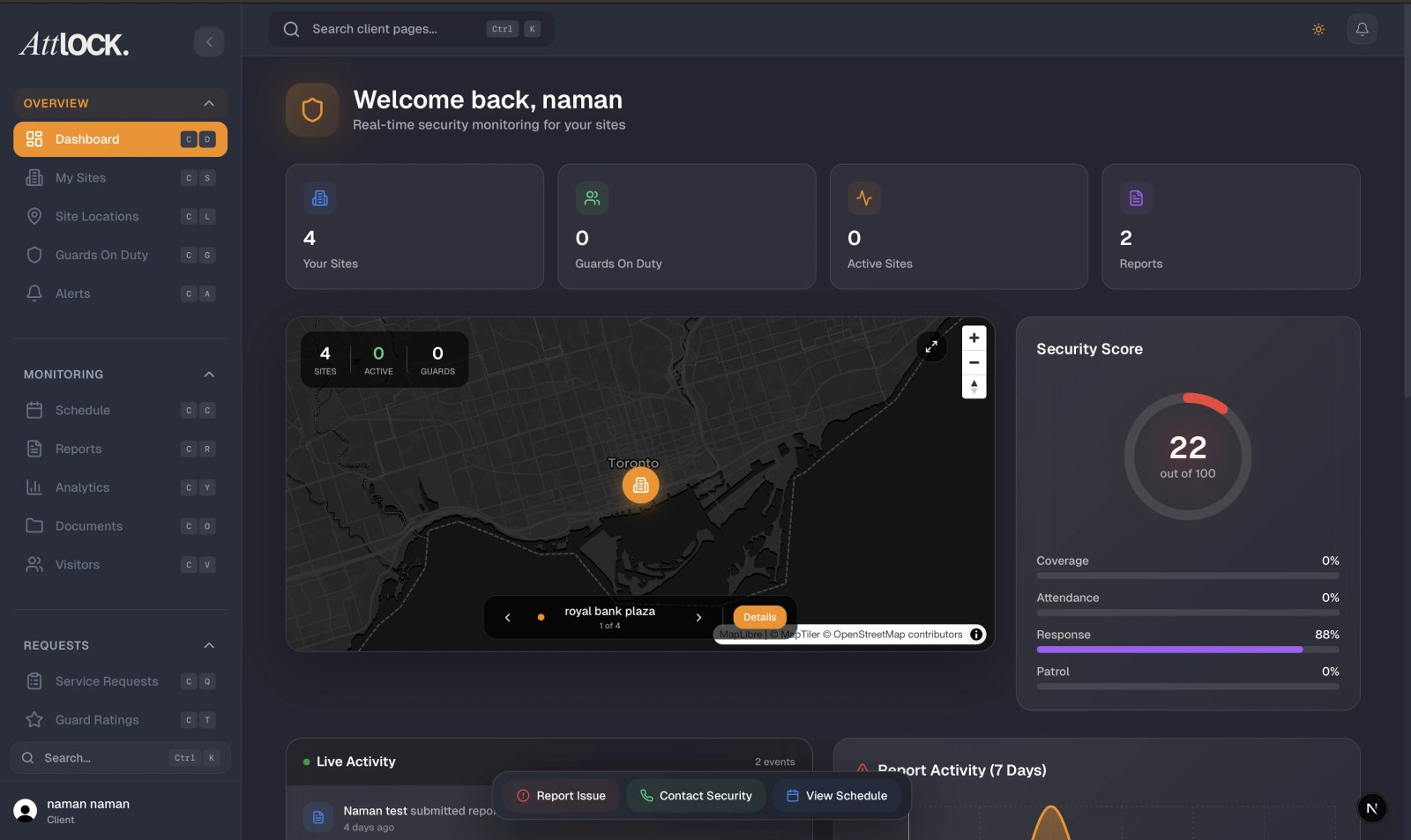
The core features of Attlock are available whether you use the mobile app or the web portal. You can access the following from either platform:
- Sites — Browse all your security sites and view site details, addresses, and assigned guards.
- Guard Tracking — See live guard positions on an interactive map.
- Reports — Read incident reports, patrol reports, and daily activity reports.
- Visitor Management — Pre-register visitors, view visitor logs, and manage upcoming visits.
- Invoices & Billing — View invoices, payment history, and billing details (Primary Contact role required for payment management).
- Service Requests — Submit and track requests to your security provider.
- Guard Schedules — View upcoming and past guard shifts at your sites.
- Notifications — Receive alerts for incidents, guard arrivals, and schedule changes.
- Team Management — View team members and their roles.
Any action you take on one platform is immediately reflected on the other. If you pre-register a visitor on the mobile app, that visitor will appear in the web portal right away, and vice versa.
Mobile App Advantages
The mobile app is designed for quick access and real-time monitoring while you are away from your desk.
- Push Notifications — Receive instant alerts on your phone for incidents, guard check-ins, and schedule changes. Push notifications are only available on the mobile app.
- Live Map with GPS Refresh — The mobile map refreshes guard positions automatically, giving you a real-time view of guard locations without needing to reload the page.
- Quick Actions — Perform common tasks with fewer taps, such as calling your security provider, submitting a quick service request, or checking guard positions.
- On-the-Go Access — Monitor security from anywhere using your phone, whether you are at a meeting, traveling, or doing a site walkthrough.
Web Portal Advantages
The web portal is built for deeper analysis and administrative tasks that benefit from a larger screen.
- Detailed Analytics — Access comprehensive dashboards with charts, trends, and historical data visualizations that are easier to interpret on a larger display.
- Bulk Exports — Download reports, invoices, and guard activity logs in bulk. Export to spreadsheet or PDF format for record-keeping and compliance.
- Advanced Filtering — Use detailed filters to search through reports, shifts, and activity logs by date range, site, guard, incident type, and more.
- Team Management — Adding team members, assigning roles, and managing permissions is more convenient on the web portal with its full-size interface.
- Document Management — Browse and download contracts, post orders, and site documents more easily on a desktop screen.
When to Use the Mobile App
The mobile app is your best choice when you need to:
- Check guard positions quickly while away from your desk
- Respond to an incident notification immediately
- Submit a time-sensitive service request
- Monitor security during a site visit or walkthrough
- Stay informed about guard arrivals and departures throughout the day
When to Use the Web Portal
The web portal is your best choice when you need to:
- Review detailed analytics and historical trends
- Export reports or invoices for record-keeping
- Search through large volumes of past data with advanced filters
- Manage your team members and update their roles
- Perform administrative tasks that require careful review
Your Data Stays in Sync
Both the mobile app and the web portal connect to the same Attlock account. There is no need to worry about data being out of date on one platform. Changes made on the app appear on the web portal instantly, and changes made on the web portal appear on the app as soon as you refresh or re-open it. Your notification preferences, team settings, and account information are shared across both platforms.
Related Articles
- Getting Started with the Client Portal
- Downloading the Client App
- Client Profile & Account Settings